Website Basics: Pages a Service Business Needs First
By Priya Shah · Published · 5 min read
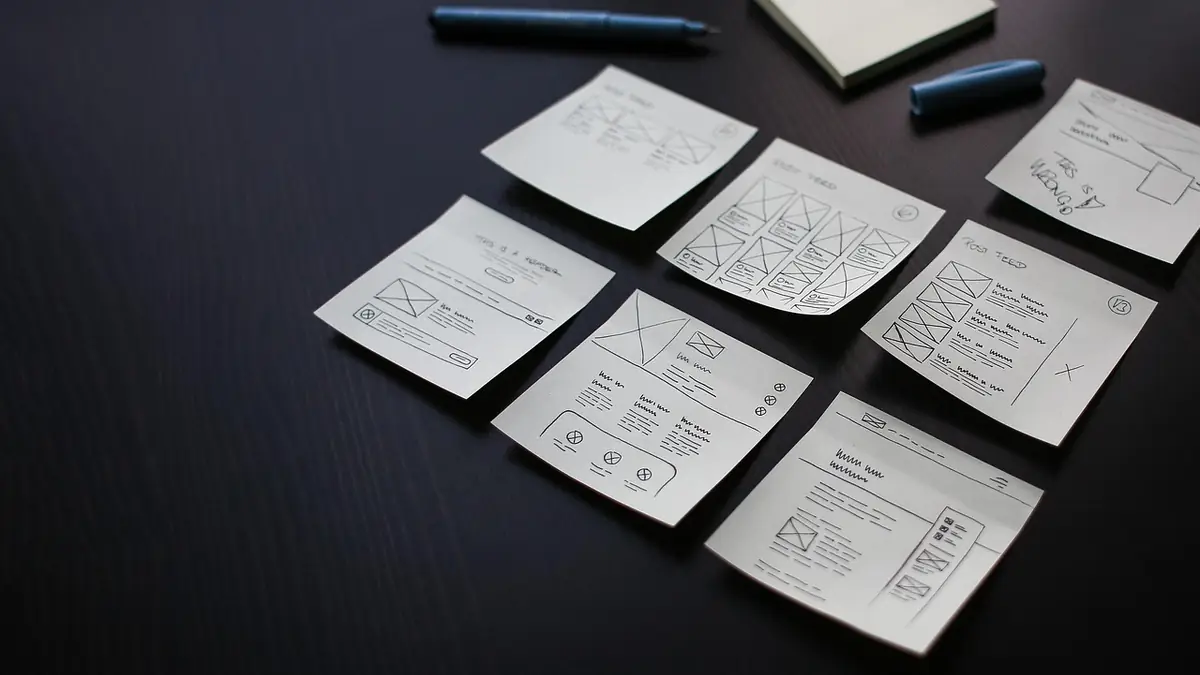
Most service businesses don't need a sprawling website. They need five or six pages that answer a visitor's three questions in under a minute: What do you do, can I trust you, and how do I book or call? Everything else is decoration until those pages work.
This guide covers the minimum page set, what belongs on each page, and the numbers behind a sensible build — page counts, word ranges, load-time targets and costs. It's written for tradespeople, clinics, consultants and local agencies, not for e-commerce stores.
Start with the page set, not the design
Before you look at templates or talk to a designer, write down the pages you need. For most service businesses that's Home, Services (or a single Services overview), About, Contact, and one supporting page such as Pricing, FAQ or Case Studies. That's five or six pages, and it's enough to launch.
Resist the urge to build a page per service before you have traffic. A plumber with twelve suburb pages and no homepage clarity loses more enquiries than they gain. Build the core set, get it live, then add pages based on what customers actually ask. Every extra page is another page to keep updated, and stale pages quietly erode trust.
A useful test: if a stranger landed on any single page from a search result, could they tell what you sell, where you operate and how to contact you within ten seconds? If not, that page needs work before you add another one.
- Home — the one-page summary of everything
- Services — what you do and who it's for
- About — why you, and who's behind the business
- Contact — phone, form, hours, location, map
- One support page: Pricing, FAQ or Case Studies
Homepage: clarity beats cleverness
Your homepage has one job: confirm the visitor is in the right place and point them to the next step. Lead with a headline that says what you do and where — "Emergency plumbing across south Manchester, 7 days" beats "Welcome to Our Family of Solutions". Under it, one sentence of detail and a visible primary button (Call, Book, Get a Quote).
Keep the homepage between 400 and 800 words. Include three or four trust signals above the fold or just below: years in business, review count and average rating, insurance or accreditation badges, and names of clients or job types. A short services list with links, a photo of real people or real work, and a contact block in the footer round it out.
Don't bury the phone number in a menu. On mobile — where 70-80% of local service traffic lands — make it a tappable call button that's visible without scrolling.
Services page: speak to the job, not the industry
Write the services page around the problems customers bring you, not your internal categories. "Boiler not heating water" is a search term; "Thermal Solutions Division" is not. Group services under clear headings, and give each one two or three short paragraphs: what it covers, who it's for, roughly what it costs or how pricing works, and how to start.
If you offer more than six distinct services, split the most-searched ones onto their own pages later. Each service page should run 300-600 words and include at least one specific detail a competitor wouldn't copy — response time, warranty length, the brands you work with, or the areas you cover.
Add a short FAQ at the bottom of the page. Five to eight real questions pulled from your inbox will do more for conversion than any stock photography.
- Name each service the way customers search for it
- State pricing logic — fixed fee, hourly, or quote
- List areas served if you're location-bound
- Add a call-to-action after every service block
About and Contact: where trust is won or lost
The About page is not your life story. It's the answer to "why should I let these people into my house or onto my payroll?" Cover who runs the business, how long you've operated, what you're licensed or insured for, and a photo of the actual team. Two hundred to four hundred words is plenty. Add one or two specific client outcomes if you have them.
Contact pages get neglected and it shows. Include a phone number, an email, opening hours, a physical address or service radius, and a short form — name, contact, message, and one optional dropdown for service type. Test the form yourself every quarter; a silent broken form is one of the most common small-business leaks.
State your response time. "We reply within one working day" sets expectations and reduces follow-up calls. If you use WhatsApp or booking software, link to it directly rather than asking people to email for a link.
| Page | Must include | Typical word count | Review frequency |
|---|---|---|---|
| Home | Headline with service + location, CTA button, 3-4 trust signals, services list | 400-800 | Every 6 months |
| Services | Problem-led headings, pricing logic, areas served, FAQ | 600-1,200 total | Every 6 months |
| About | Owner/team photo, years operating, licences and insurance | 200-400 | Yearly |
| Contact | Phone, email, hours, address or radius, short form | 150-300 | Quarterly (test form) |
| Pricing or FAQ | Starting prices, what's included, common questions | 400-800 | Quarterly |
| Case studies (optional) | 2-4 client stories with specific outcomes | 300-500 each | Yearly |
The numbers: cost, time and speed
A credible five-to-six page brochure site typically costs £500-£2,500 or $1,000-$5,000 depending on whether you use a template, a freelancer or a small agency. Template builds can go live in a week; custom design usually takes four to eight weeks including content. Ongoing hosting and domain run roughly £5-£40 a month.
Speed matters more than polish. Aim for a page that loads in under 2.5 seconds on a mid-range phone; every extra second noticeably increases the share of visitors who leave. Compress images before upload, avoid heavy sliders, and don't stack four tracking scripts on a five-page site.
Expect to spend two to five hours writing and gathering content for every page. That content work — not the design — is what makes a site convert, and it's the part most owners underestimate.
Content and brand consistency from day one
Even a six-page site needs a consistent voice. Decide whether you're plain-spoken and practical or warm and reassuring, then write every page the same way. If more than one person will edit the site, a short written guide saves hours of rewrites — our brand voice guide template walks through exactly that.
If you're also launching or refreshing your logo and social profiles alongside the site, sequence the work so names, colours and descriptions match everywhere. A launch checklist helps here: this checklist for launching a new brand identity online covers the order of operations.
Finally, plan who updates the site and how often. A quarterly review of hours, prices and staff photos keeps it accurate, and it's a far better use of time than adding pages nobody reads.
What to skip until later
Skip the blog until you can commit to publishing at least twice a month. An abandoned blog with two posts from 2022 reads worse than no blog. Skip complex booking systems until enquiries outgrow email. Skip multi-language versions, membership areas and custom animations; they add cost and maintenance without helping a first enquiry.
Also skip a separate page for every suburb or town unless you have genuinely different content for each. Thin duplicate pages can hurt more than help. Start with one "Areas We Serve" section on the contact page and split it out only when you have something real to say per location.
The goal is a site that's accurate, fast and easy to contact you from. Add everything else once the phone is ringing.
Minimum viable page set at a glance
The table below summarises what each core page should include, how long it usually runs, and how often it needs reviewing. Use it as a build checklist rather than a rigid spec; a two-person consultancy and a ten-van plumbing firm will weight the pages differently, but the structure holds.
If you only build three pages this month, build Home, Services and Contact. Those three carry the vast majority of first enquiries, and the others can follow within a quarter.
- Five or six clear pages beat a large half-finished site.
- Lead the homepage with what you do and where — not a slogan.
- Write services around customer problems and state pricing logic.
- Test your contact form every quarter; broken forms cost real enquiries.
- Budget £500-£2,500 or $1,000-$5,000 for a solid brochure site and aim for under 2.5s load time.
Priya writes about measurement, budgets and the tools behind digital campaigns. She favors simple tracking methods and spreadsheets over expensive software. Her articles help small businesses judge what is working and where to spend next.